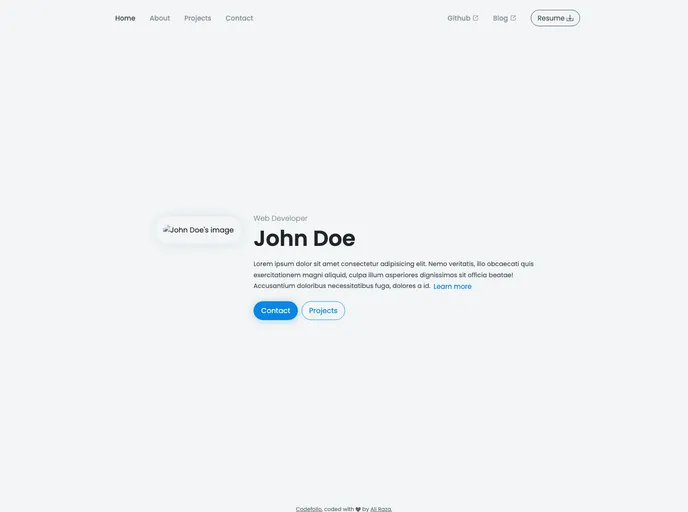
A deployment-ready web app to showcase your coding portfolio.
Overview:
Codefolio is a Jamstack portfolio web application for programmers. It is built using Nuxt.js and leverages the @nuxt/content module to generate production-ready static assets from user data placed in the /content directory.
Features:
- Modular and Reusable Code: The entire codebase is written with modules and reusability in mind.
- Static Deployment: Codefolio supports static deployment, making it an efficient choice for coding portfolios that don’t require frequent updates.
- User-Friendly Interface: The user interface of Codefolio is designed with user-friendliness in mind. It is fully responsive and follows a mobile-first approach.
- Bootstrap 5 Integration: The design of Codefolio is based on the 7-1 Sass pattern and leverages partially loaded Bootstrap 5 for layout and utilities.
- Customizable Content: Users can customize various aspects of their Codefolio, including personal details, external links, and the resume button URL in the top navbar.
Installation:
To install Codefolio, follow these steps:
- Clone the Codefolio repository from GitHub:
git clone [repository_url]
- Navigate to the cloned repository:
- Install the necessary dependencies:
- Start the development server:
- Open your web browser and visit
http://localhost:3000 to view Codefolio.
Summary:
Codefolio is a powerful portfolio web application for programmers, built using Nuxt.js and the @nuxt/content module. Its key features include modular and reusable code, static deployment support, a user-friendly interface, and customization options for personalizing the content. By following the installation guide, users can easily set up their own Codefolio and showcase their programming projects in a professional way.