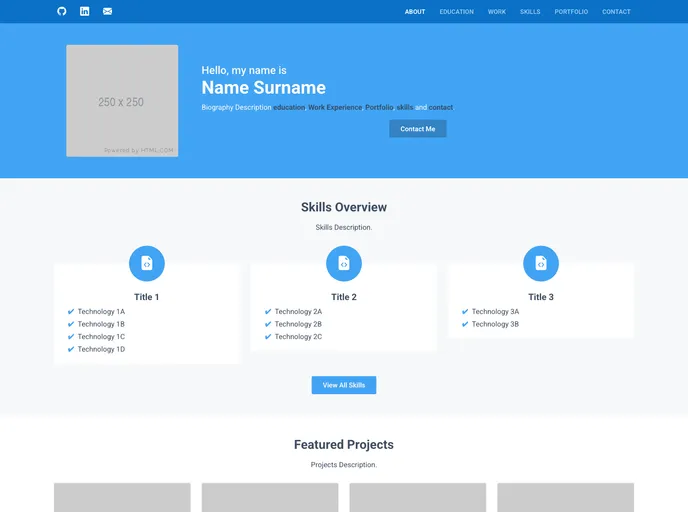
A sleek and professional portfolio template built with ReactJs and Bootstrap, showcasing my work experience, education, and projects with visually engaging images and reference links. All data is sourced from JSON files for easy updates and maintenance.
The JSON Portfolio Website is a ReactJS and Bootstrap 5 framework website that dynamically creates a multi-page portfolio site from several JSON files. It has a central customization functionality and deployment pipeline. The website is responsive and adapts to different screen sizes, from phones to desktops. It showcases projects defined in JSON files and allows for the definition of slide-shows, links, and videos for each project. The website includes sections for personal biography, social media links, education, work, projects, and contact information.
To preview the website locally, follow these steps:
npm install to install the website packages.npm start to launch the website in a local environment.CTRL + C in the terminal to terminate the website process.To deploy the website, follow these steps:
github-username.github.io as your repository name.package.json file and change "name": "json-portfolio" to "name": "github-username".package-lock.json file and change "name": "json-portfolio" to "name": "github-username" for both the root and packages.package-lock.json file, change "homepage": "." to "homepage": "https://github-username.github.io/".public/index.html file, change <title> JSON Portfolio </title> to <title> Your Name | Portfolio </title>.public/index.html file, change <meta name="description" content="..." /> to <meta name="description" content="Website Description" />.gh-pages with /(root) folder, then click save.The JSON Portfolio Website is a ReactJS and Bootstrap 5 framework website that allows users to create a responsive and customizable portfolio site. It dynamically generates the site using JSON files, showcasing projects and providing sections for personal biography, education, work, and contact information. The website also includes a deployment pipeline to automatically deploy the site on each commit. Overall, it is a convenient and versatile tool for creating professional portfolio websites.

