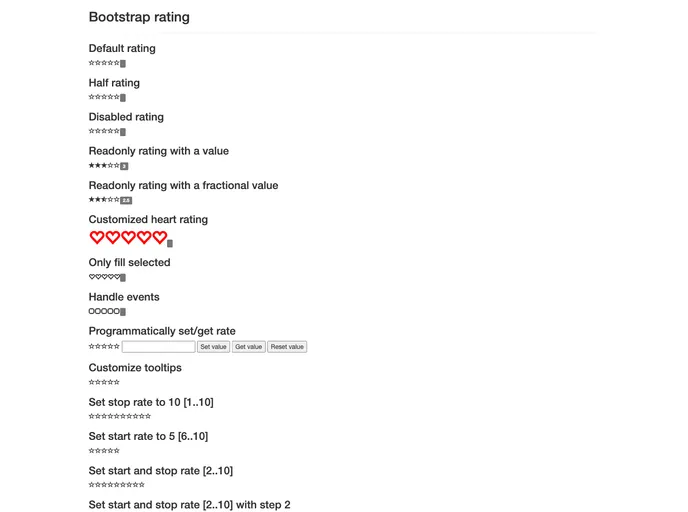
Bootstrap Rating is a jQuery plugin that creates a rating control that uses Bootstrap glyphicons for rating symbols.
Bootstrap Rating is an innovative jQuery plugin that allows developers to create a visually appealing rating control using Bootstrap glyphicons. This tool simplifies the process of gathering user feedback through ratings, enhancing user experience on websites and applications. With the combination of jQuery and Bootstrap, it seamlessly integrates into existing projects, offering a customizable solution for rating systems.
The plugin not only maintains an intuitive interface but also allows easy customization of its functionality and appearance. Whether you want to stick with the default glyphicons or incorporate your own icons, Bootstrap Rating provides the flexibility to meet various design needs and branding requirements.
Easy Initialization: The plugin can identify rating inputs automatically based on class designation, or you can explicitly initialize it using .rating() on specific inputs.
Customizable Symbols: Replace default rating symbols with custom glyphicons or any icon of your choice, including Font Awesome icons, by adjusting plugin parameters.
Flexible Rating Range: By default, the rating range is between 0 and 5, but you can adjust it based on your requirements using data attributes or by overriding plugin defaults.
Read-Only and Disabled States: Easily set the control to read-only or disabled by managing the associated input. This helps in providing users with a clear understanding of when ratings can be given.
Support for Custom CSS: If you have your own icons, you can utilize raw CSS to create custom symbols for both filled and empty rating states, offering complete design freedom.
Integration with Font Awesome: In addition to Bootstrap glyphicons, the plugin supports the incorporation of Font Awesome icons, broadening the aesthetic choices available to developers.
Dynamic Appearance Management: Control the appearance of selected symbols using attributes to ensure that only the chosen rating displays a filled state, enhancing clarity and user interaction.
Event Handling: Attach events to the rating control for advanced functionality, allowing for real-time feedback and interaction from users.

