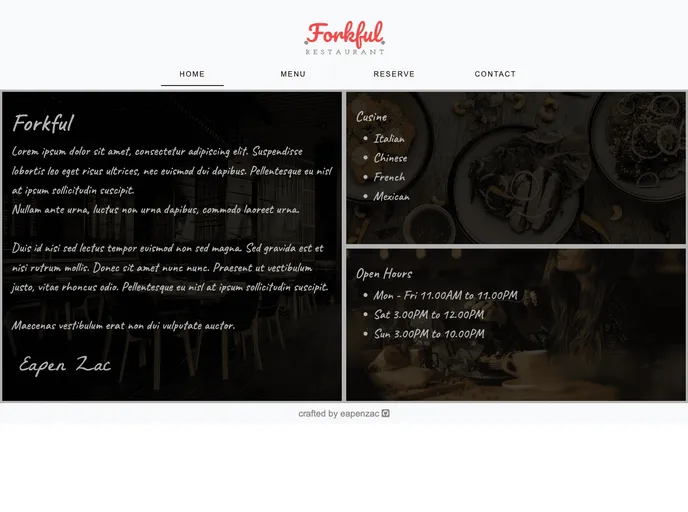
An easy-to-use Restaurant Theme built with JavaScript, HTML5, SASS, and Bootstrap 4 bundled with Webpack.
Overview:
The Restaurant-Theme is an easy-to-use theme built on JavaScript, HTML5, and Saas. It offers a responsive and clean design, making it suitable for restaurant websites. The theme is built using Bootstrap 4, which provides a solid foundation, and utilizes Font Awesome Icons and Google Fonts to enhance its visual appeal. Additionally, the theme allows for the dynamic change of the menu using JSON, providing flexibility for restaurant owners to update their menu as needed. The project was completed using modularized code and can be viewed live in a browser.
Features:
- Responsive & Clean Design: The theme is designed to look great on all devices and provides a clean and visually appealing layout.
- Bootstrap 4: The theme is built on the latest version of Bootstrap, ensuring a solid foundation and compatibility with modern web standards.
- Font Awesome Icons: The theme includes a wide range of icons from Font Awesome, allowing for easy incorporation of visually appealing icons.
- Google Fonts: The theme utilizes Google Fonts to offer a variety of typography options, enhancing the overall design of the website.
- Dynamically changeable Menu with JSON: The theme allows for the dynamic updating of the menu using JSON, providing flexibility for restaurant owners to make changes without the need for coding.
Installation:
To install the Restaurant-Theme, follow these steps:
- Download the theme files from the provided source.
- Extract the downloaded files to a desired location on your computer.
- Open the extracted folder and navigate to the “index.html” file.
- Open the “index.html” file in a text editor.
- Modify the content of the “index.html” file as per your restaurant’s requirements.
- Save the changes made to the “index.html” file.
- Open the “styles” folder within the extracted files.
- In the “styles” folder, you will find a file named “main.css”. Open this file in a text editor.
- Customize the CSS properties in the “main.css” file to give your restaurant website a unique look.
- Save the changes made to the “main.css” file.
- Finally, you can preview your restaurant website by opening the modified “index.html” file in a web browser.
Summary:
The Restaurant-Theme is a user-friendly and visually appealing theme for restaurant websites. Built using JavaScript, HTML5, and Saas, it offers a responsive and clean design that adapts to different devices. The use of Bootstrap 4 ensures a solid foundation, while Font Awesome Icons and Google Fonts enhance the visual elements of the theme. Notably, the theme allows for the dynamic updating of the menu using JSON, giving restaurant owners the flexibility to make changes without the need for coding. With easy installation steps, the Restaurant-Theme is a convenient choice for restaurant website creation.