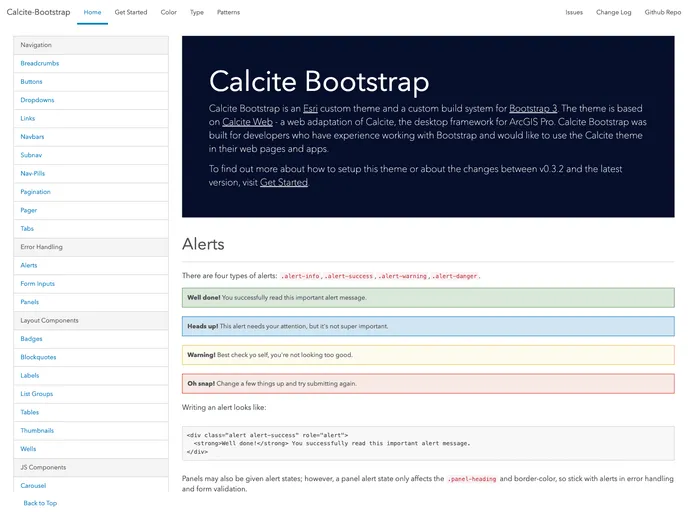
A Calcite theme and a custom build system for building Bootstrap apps.
Overview
Calcite Bootstrap is a custom theme and build system for Bootstrap. It is based on the Calcite design framework created by Esri. This project is deprecated and not recommended for future development.
Features
- Custom theme based on the Calcite design framework
- Integration of Calcite theme and build system with Bootstrap
- Two main ways to use Calcite Bootstrap: copying compiled css files into your project or installing via npm and using a SASS build step
- Does not include any javascript components itself, but provides a theme for Bootstrap components
- Recommends loading Bootstrap javascript from BootstrapCDN if no build system is available
- Installation via static files or npm
- Easy to contribute to Calcite Bootstrap
Installation
There are two installation options for Calcite Bootstrap: copying compiled css files or installing via npm with a SASS build step.
Copying Compiled CSS Files
- Download the latest release from the documentation site.
- Move the zipped files to the desired location.
- Refer to the documentation site and the main Bootstrap for usage instructions.
Installing via NPM with SASS Build Step
- Install Calcite Bootstrap with npm by typing:
npm install calcite-bootstrap
- If using sass, add the following to your load path:
node_modules/calcite-bootstrap/dist/sass/
- If using gulp-sass, include this line in your gulpfile:
require('node_modules/calcite-bootstrap/gulpfile.js');
- If using grunt-sass, add this to your gruntfile:
require('node_modules/calcite-bootstrap/gulpfile.js');
- In your main .scss file, require the framework:
@import "calcite-bootstrap";
Summary
Calcite Bootstrap is a custom theme and build system for Bootstrap that is based on the Calcite design framework. It offers two ways to use it, either by copying compiled css files or by installing it via npm with a SASS build step. The project is deprecated and not recommended for future development.