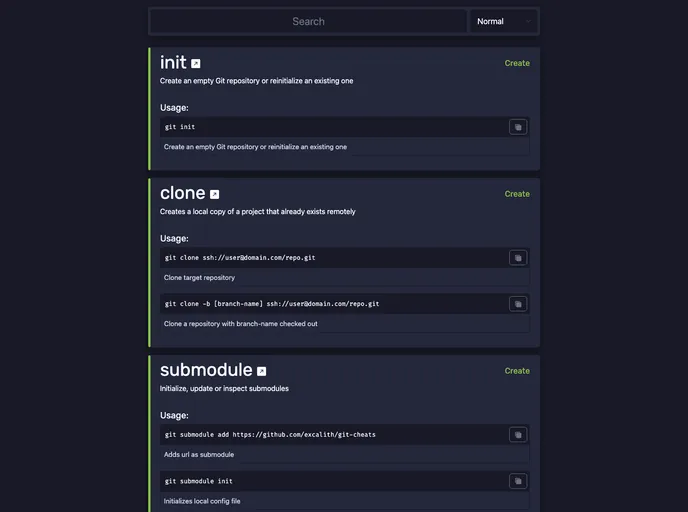
Interactive git cheatsheet for quickly searching through commonly used commands with examples
Overview
Dev Cheats is an innovative project that consolidates various resources and features aimed at enhancing your experience with Git commands. As part of this integration, Git Cheats will soon be archived, making way for this comprehensive platform that promises expanded capabilities and an improved learning experience. If you are looking to refine your command-line skills or need a handy reference to Git commands, this updated resource could be a game changer.
Features
- Easy Command Search: Quickly find Git commands by name, saving you time and effort when you need to execute a specific task.
- Category Filtering: Organize commands by category to streamline your learning process and focus on the areas that matter most to you.
- Usage Examples: Copy usage examples directly into your terminal to eliminate guesswork and ensure you’re using commands correctly.
- Documentation Links: Access original documentation with a single click, making deeper dives into command usage effortless.
- Complexity Toggle: Display commands based on their complexity (Basic, Normal, Advanced), allowing you to tailor your experience as you advance in your skills.
- Preference Tracking: The application remembers your command preferences for future sessions without storing any data on the server, ensuring your privacy.
- Local Clone Support: For advanced users, clone the repository, install dependencies with yarn, and run your own local server for hands-on practice.
- Future Docker Integration: A feature for Docker support is on the horizon, promising to add even more functionality for users who work in containerized environments.