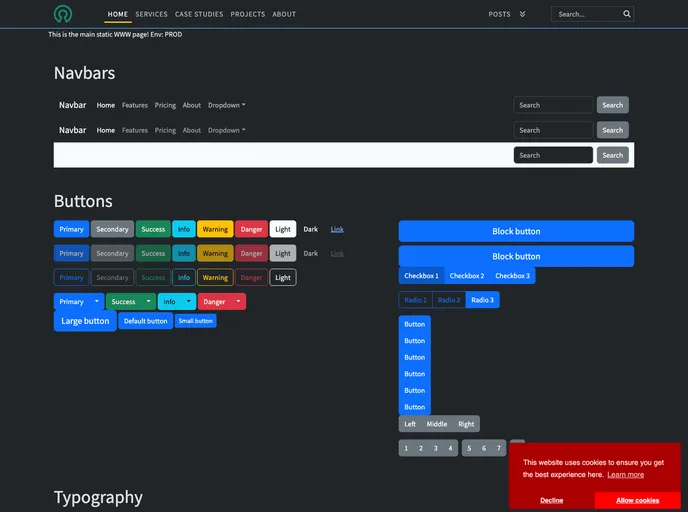
Jamstack Eleventy Custom screenshot

Jamstack Eleventy Custom

Author Avatar Theme by Hidegh
Updated: 22 Nov 2023
7 Stars

A static site created with 11ty (eleventy). The repo should serve as a demo/sample on creating 11ty sites from scratch - and also as a sample/basic for blog-sites.

Categories

Overview:

The “jamstack-eleventy-custom” is a static site created with 11ty (eleventy). It serves as a demo/sample for creating 11ty sites from scratch and as a basic template for blog sites. The main aim of this site is to be highly flexible and customizable.

Features:

  • Cookie Consent: The site includes a cookie consent feature.
  • Local Picture Support: Support for pictures stored locally in the same folder as the posts markdown file.
  • Bootstrap: The site uses Bootstrap for styling.
  • Customizable Pager: A customizable pager (navigator) is included.
  • Search Inside Posts: The site allows for searching inside the posts.
  • Nested Paging: The site includes nested paging functionality.
  • Tags and Nested Categories: Support for tags and nested categories.
  • Sticky Sidebars: Sticky sidebars for recent articles, articles in series, similar articles, tags, and categories.
  • Tag Cloud: The site includes a tag cloud.
  • Table of Contents: A table of contents feature is implemented.
  • RSS Plugin: RSS plugin is integrated with the site.
  • Mathjax and Mermaid Integration: Mathjax and Mermaid integration is included.

Installation:

To install the “jamstack-eleventy-custom” theme, follow these steps:

  1. Clone the repository from GitHub.
git clone <repository_url>
  1. Change to the project directory.
cd jamstack-eleventy-custom
  1. Install the dependencies.
npm install
  1. Start the development server.
npm run dev
  1. Access the site in your browser at http://localhost:8080.

Summary:

The “jamstack-eleventy-custom” site is a customizable static site template created with 11ty. It includes features such as cookie consent, local picture support, customizable pager, search functionality, nested paging, tags and categories, sticky sidebars, tag cloud, table of contents, and more. The site can be installed by cloning the GitHub repository and running the necessary commands. It serves as a great starting point for creating blog sites and showcases the capabilities of 11ty.