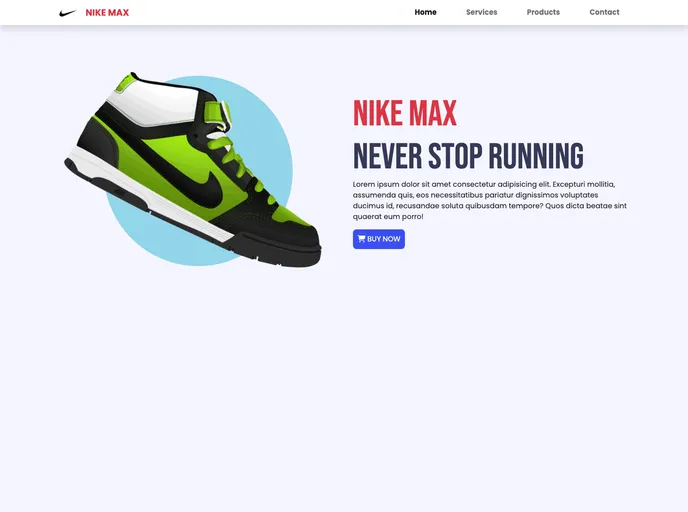
Max screenshot

Max

Author Avatar Theme by Hussamodeh12
Updated: 29 Mar 2023
5 Stars

Max, README.md file is below

Categories

Overview:

This product analysis is about a web theme that has been built using HTML, CSS, and Bootstrap. The theme has been developed using Visual Studio Code and also includes a live demo. The purpose of this analysis is to provide an overview of the theme, highlight its key features, provide installation instructions, and summarize the article.

Features:

  • Responsive Design: The theme is designed to be responsive and can adapt to different screen sizes, ensuring a consistent user experience across devices.
  • Clean and Modern UI: The theme has a clean and modern user interface, featuring a minimalist design with well-structured layouts and intuitive navigation.
  • Customizable: The theme is highly customizable, allowing users to easily change colors, fonts, and other elements to match their branding or personal preferences.

Installation:

To install the theme, follow these steps:

  1. Download the theme’s source code files.
  2. Extract the downloaded zip file to a desired location on your computer.
  3. Open Visual Studio Code and navigate to the extracted folder.
  4. Customize the theme by modifying the HTML and CSS files as needed.
  5. Open the index.html file in a web browser to view the theme.

Summary:

In this product analysis, we looked at a web theme that has been developed using HTML, CSS, and Bootstrap. The theme features a responsive design, a clean and modern UI, and is highly customizable. The installation process involves downloading the source code, customizing it using Visual Studio Code, and viewing the theme in a web browser. Overall, this theme provides a great starting point for building modern and visually appealing websites.