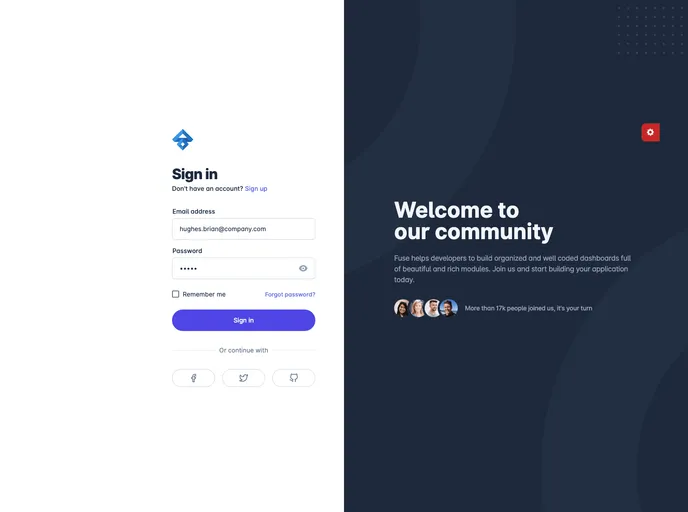
Fuse Admin screenshot

Fuse Admin

Author Avatar Theme by Id1945
Updated: 21 Feb 2022
57 Stars

Angular 12+ Admin template for Web Applications, CRM, CMS, Admin Panels and more.

Categories

Overview:

The Fuse-adminAngular is an admin template designed for web applications, CRM, CMS, admin panels, and more. It offers a sleek and modern design, making it suitable for various administrative tasks. This template is built on AngularJS and uses Material Design to enhance the user interface. With its rich features and customizable options, Fuse-adminAngular provides a convenient and efficient solution for managing and organizing administrative tasks.

Features:

  • Modern Design: Fuse-adminAngular features a sleek and modern design, making it visually appealing and user-friendly.
  • AngularJS: Built on AngularJS, this template offers the benefits of a powerful and efficient framework for developing web applications.
  • Material Design: Fuse-adminAngular utilizes Material Design, providing a clean and intuitive user interface.
  • Versatile: Suitable for a wide range of applications including web applications, CRM, CMS, and admin panels.
  • Customizable Options: With customizable options, Fuse-adminAngular allows users to tailor the template to their specific needs.
  • Responsive Layout: The template is designed to be responsive, ensuring compatibility across different devices and screen sizes.
  • Easy Integration: Fuse-adminAngular provides easy integration with other AngularJS modules and plugins.
  • Cross-Browser Compatibility: This template is compatible with various browsers, ensuring a seamless experience for users.

Installation:

To install the Fuse-adminAngular admin template, follow these steps:

  1. Download the template files from the provided link.
  2. Extract the downloaded folder to your desired location.
  3. Open the extracted folder and navigate to the “src” directory.
  4. Copy the required files to your project directory.
  5. Include the necessary CSS and JS files in your HTML file.
  6. Customize the template as needed by modifying the HTML and CSS files.
  7. Run your project in a web browser to see the template in action.

Here is an example of how to include the necessary CSS and JS files in your HTML:

<!DOCTYPE html>
<html>
<head>
    <title>Your Web Application</title>
    <link rel="stylesheet" type="text/css" href="path/to/fuse-adminAngular.css">
</head>
<body>

<!-- Your HTML content here -->

<script src="path/to/angular.js"></script>
<script src="path/to/fuse-adminAngular.js"></script>
</body>
</html>

Note: Make sure to replace “path/to/” with the actual path to the template files on your system.

Summary:

In conclusion, the Fuse-adminAngular admin template is a powerful and versatile solution for managing administrative tasks in web applications, CRM, CMS, and more. With its modern design, AngularJS framework, and Material Design integration, it provides a visually appealing and user-friendly interface. The template’s customizable options, responsive layout, easy integration, and cross-browser compatibility make it a reliable choice for developers seeking an efficient admin template.