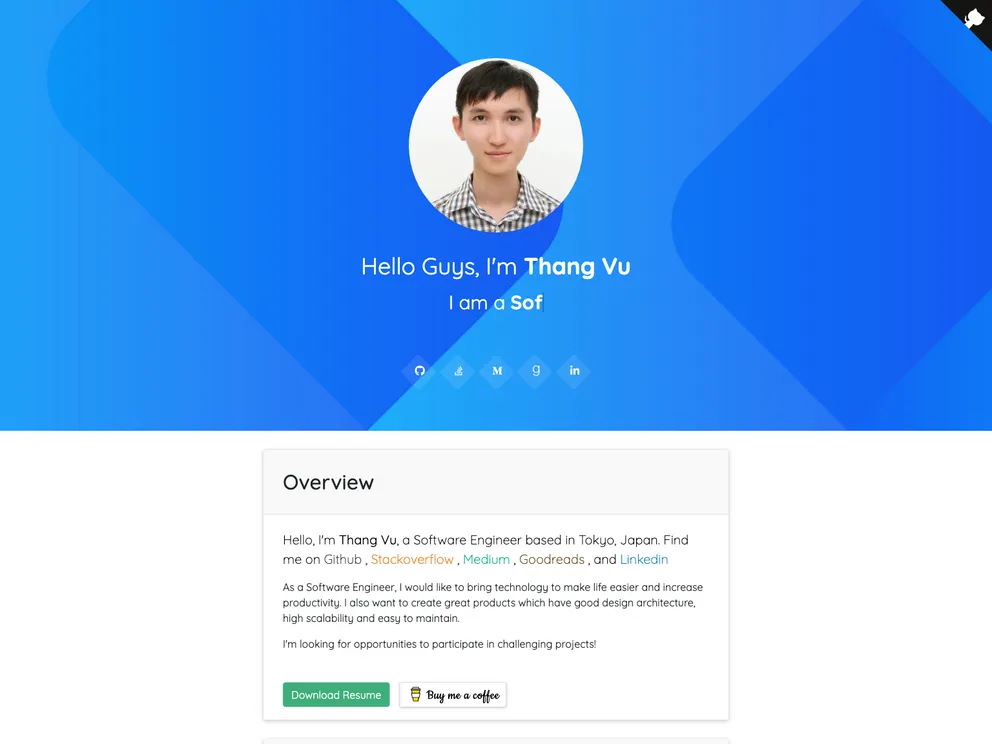
Overview:
The Developer profile is a web application built with Gridsome and VueJS. It allows developers to showcase their portfolio and provide information about themselves. The profile is easy to set up and customize, and supports features such as demo checkout and integration with other platforms.
Features:
- Gridsome + VueJS: The Developer profile is built using the Gridsome framework and VueJS, ensuring a fast and responsive web application.
- Demo Checkout: Users can test out the profile by using the demo checkout feature, allowing them to experience the functionality and design.
- Support: The Developer profile provides support to users, ensuring any issues or questions are resolved promptly.
- Develop & Fork: Developers can contribute to the profile by forking the repository and making their own modifications, customizations, or improvements.
Installation:
To install the Developer profile, follow these steps:
- Clone the repository to your local machine.
- Open a terminal and navigate to the root directory of the repository.
- Run the following command to install the required dependencies:
- After the installation is complete, customize the information in the “profile.json” file with your own details.
- Modify the portfolio or project data by editing the Markdown files located in the “/src/data/projects” folder.
- Build the profile by running the following command:
- Once the build is complete, the profile is ready to be deployed or run locally.
Summary:
The Developer profile is a powerful web application that provides developers with a platform to showcase their skills and projects. Built with Gridsome and VueJS, it offers a user-friendly and customizable interface. Users can easily install and personalize the profile, adding their own information and portfolio data. With features like demo checkout and support, the Developer profile is an excellent choice for any developer looking to create an impressive online presence.