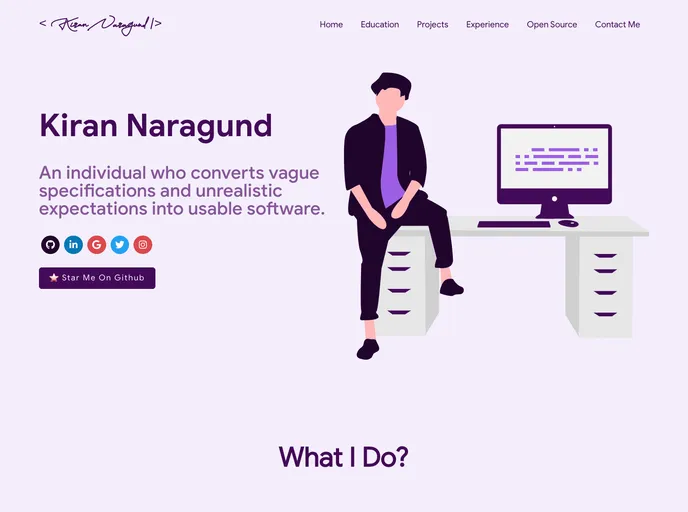
My personal and customizable Portfolio website template for Software Developers.
Overview:
This content is a guide on how to use and customize a portfolio website template. It provides information on the sections included in the website, technologies used, and instructions for cloning and customizing the template. It also mentions how to choose a theme and provides information on contributing to the project.
Features:
- Summary and About me: A section to provide a summary and information about the website owner.
- Skills: A section to showcase the skills of the website owner.
- Education: A section to display the educational background of the website owner.
- Certifications: A section to highlight the certifications obtained by the website owner.
- Open Source Projects and Contributions: A section to showcase the website owner’s contributions to open source projects.
- Recent Works: A section to display the recent works of the website owner.
- Experience: A section to provide information about the work experience of the website owner.
- Blogs: A section to showcase the blog posts written by the website owner.
- Contact me: A section to provide contact information for the website owner.
Installation:
To run this project locally, follow these steps:
- Clone the repository.
- Navigate to the project directory.
- Install the dependencies.
- Start the development server.
- Open your browser and visit http://localhost:3000 to see the website locally.
- Customize it by adding your own information.
To customize the template for your own portfolio website, you need to change the following:
- package.json: Open this file in the main cloned directory, choose any “name” and change “homepage” to https://.github.io. Do not forget the https://, otherwise fonts will not load.
- Personal Information: Change the personal information, experience, education, social media, certifications, blog information, contact information, etc. in src/portfolio.js to reflect them in the portfolio website.
- Github Information: Replace the git_data_fetcher.js file in the main repository directory with your own. You can obtain a github token and follow the instructions in the file to fetch your data from github and replace the existing data.
- Choose Theme: Open the src/theme.js file and change the name of the chosen theme to the desired theme.
Summary:
This content provides a guide on how to use and customize a portfolio website template. It explains the sections included in the template, the technologies used, and provides instructions for installation and customization. It also mentions how to choose a theme and provides information on contributing to the project.